
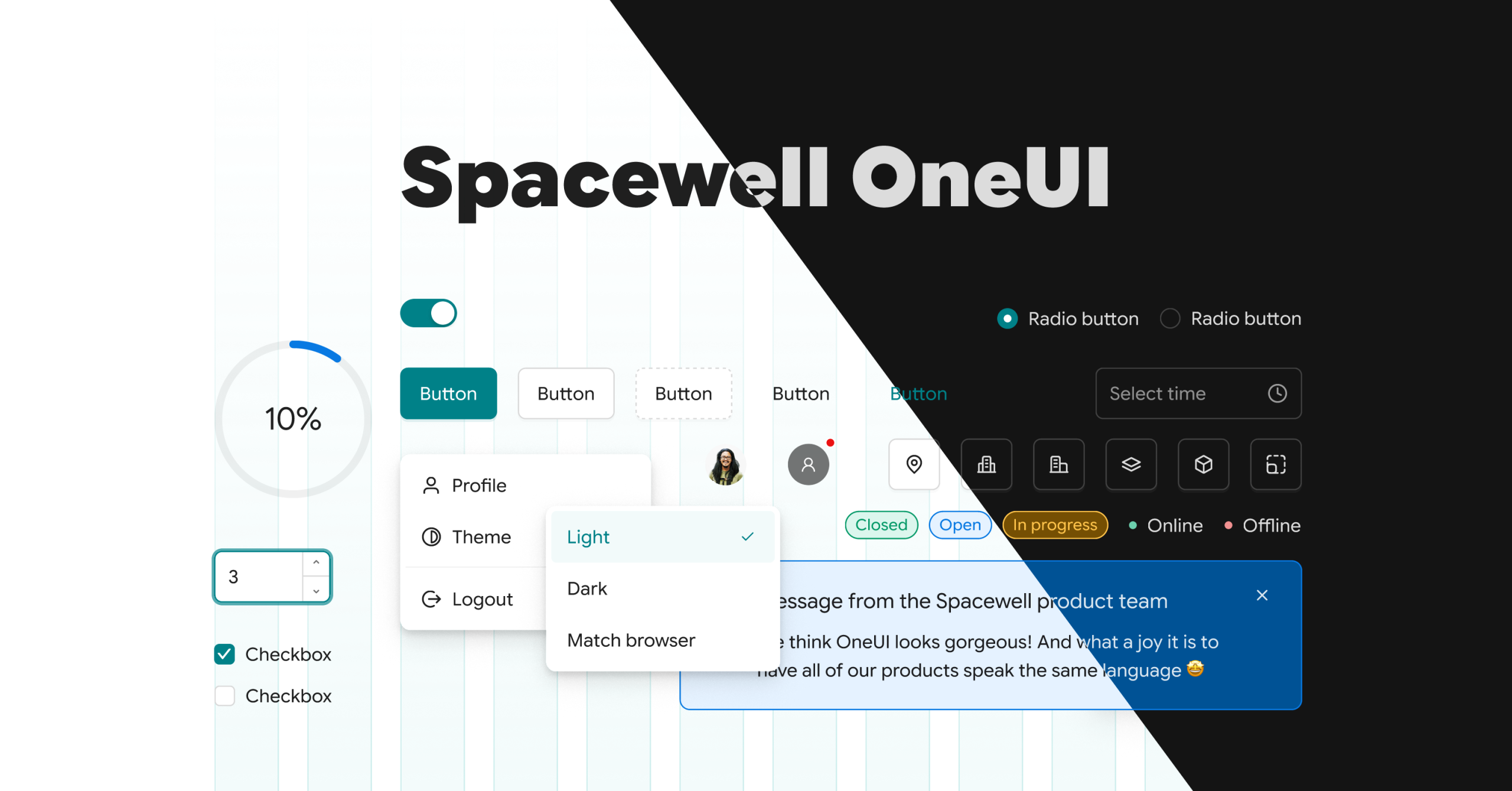
Spacewell OneUI is our new product design language, and it’s rolling out across the entire portfolio. One consistent look, one navigation logic, one set of interactions, so once you know your way around one Spacewell product, you already know your way around the rest. It’s a foundational step toward a single, unified Spacewell platform, and it’s built to make your daily work faster and easier from the first screen you open.
What is Spacewell OneUI?
When we talk about a UI, we mean the framework that shapes how a screen looks and how you interact with it. Spacewell OneUI is the new design language we’re applying across the product portfolio: Spacewell Workplace, Spacewell Asset, Maintenance Planning, and Spacewell Energy. One design system instead of four separate ones, so moving between products feels like staying on one platform, not switching tools.
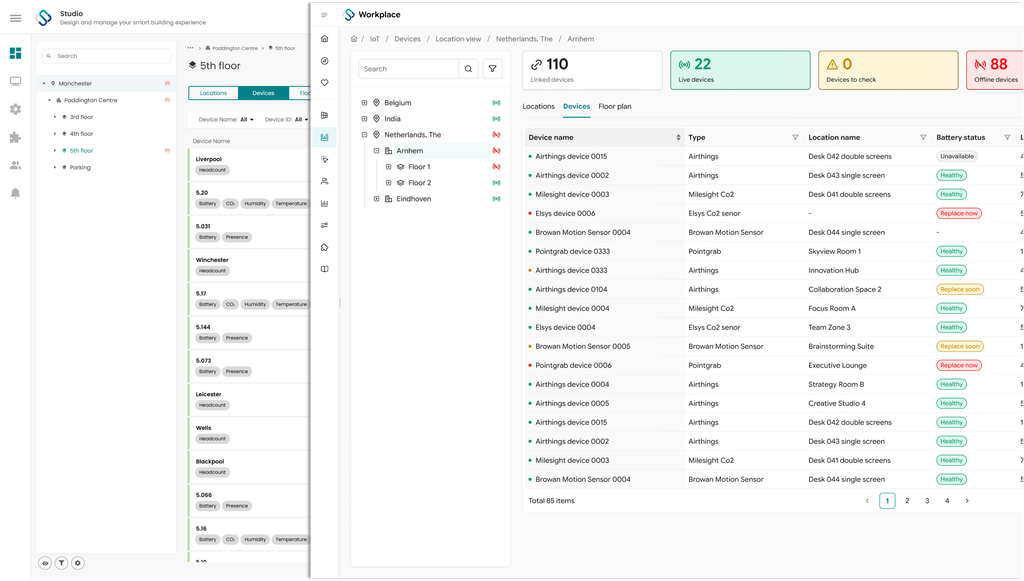
As OneUI rolls out across the portfolio, it’s worth explaining the thinking behind it and what it means for the people using the product every day. We were deliberate about what to keep and what to change. Every design decision was tested against seven criteria:
- Seamless. No awkward transitions or disparities between products. All solutions should feel like one platform.
- Responsive. Quick to react to input, and adaptable to different roles, from facility managers to space planners to energy analysts.
- Intuitive. Easy to learn and navigate without training, even for occasional users like employees booking a desk.
- Trusted. Reliable and stable, so users feel supported when handling critical building and asset data.
- Practical. Built for daily, high-volume use in real facility operations, not just for a good first impression.
- Recognisable. The same patterns, components, and logic everywhere. So switching from products never feels like learning a new tool.
- Accessible. Built to WCAG accessibility standards, so it works well for every user regardless of ability or how they interact with the product.
Bringing these together reinforces our commitment to a trusted product experience. That trust runs both ways. We build OneUI from feedback we hear from customers, and we want that feedback reflected in the product, not just the pitch deck.
How does Spacewell OneUI help you work faster?
Improved organization and simplified navigation
Streamlined navigation, simplified icons, at-a-glance views, and consistent spacing let you move through the app without relearning it screen to screen. Less time figuring out where to click, more time on the actual work.
Clearer indicators of status and priority
Deliberate use of colour, contrast, and icons makes open work orders, overdue inspections, and space status visible at a glance. Clear button states reduce the kind of mis-clicks that cost time in daily operations.
Improved performance and faster load times
A lighter visual footprint and cleaner front-end code mean faster load times across devices, which matters when a technician is pulling up a work order on a tablet in the field.
Approachability and accessibility
OneUI is built to WCAG accessibility standards and designed to work for a wide range of users, from power users running portfolio-wide reporting to employees who open the app once a week to book a desk.
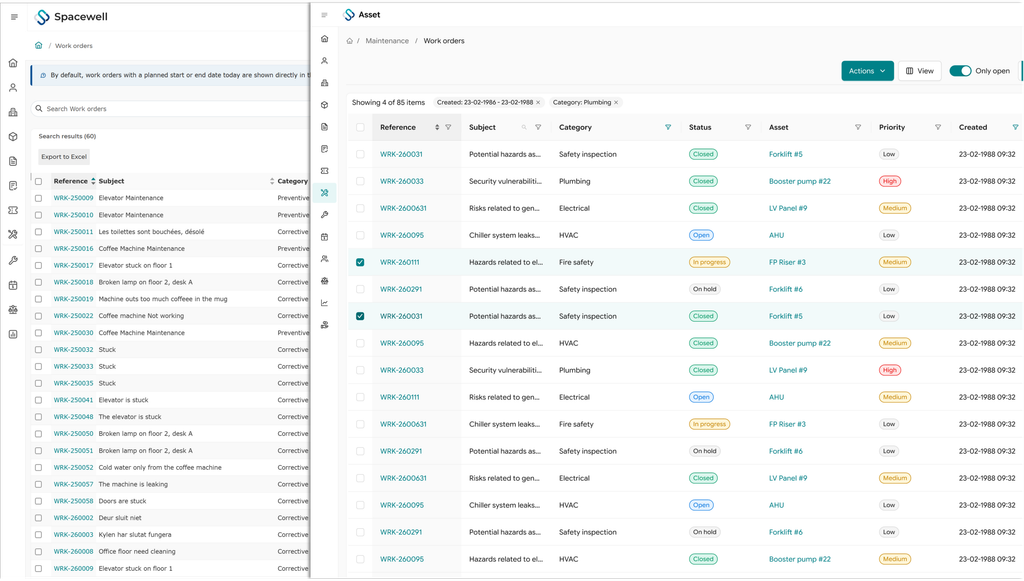
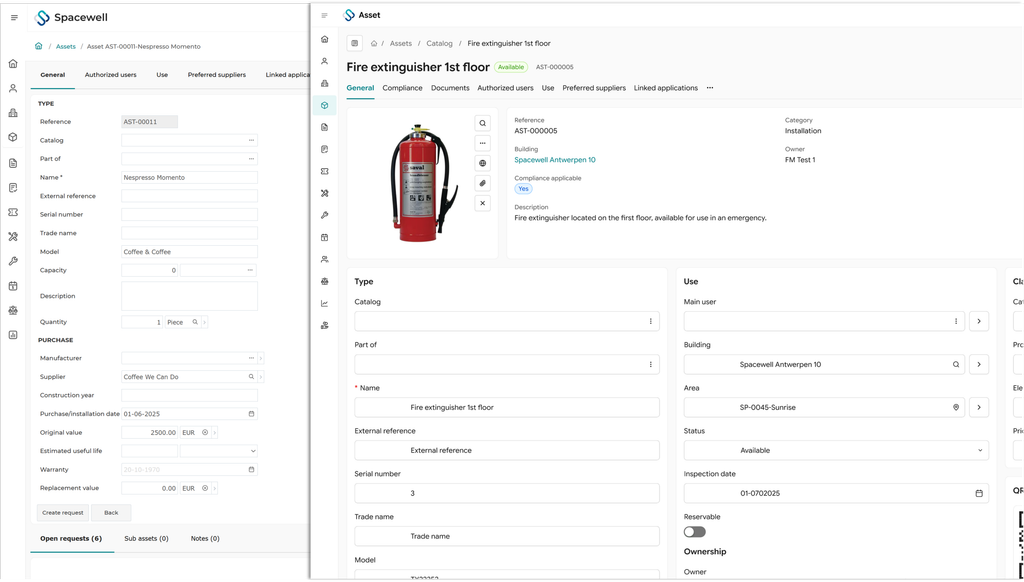
Making Spacewell easier and faster isn’t about piling on features.
Sometimes less is more.
Key Design Updates of the Spacewell OneUI
As AI capabilities move into daily workflows across the portfolio, we’ve had to rethink how the interface presents information. As the underlying product gets smarter, the screen needs to get simpler, not busier. Here’s what makes up the OneUI design language:
Grid and space motifs. OneUI takes its shape language from the floor plans and modular spaces at the core of our product, structured tiles, aligned grids, and clean room-like blocks.
Rebuilt Icon Set. A single, consistent icon set across Workplace, Asset & Maintenance and Energy, legible at small scale and clear about state: active, pending, overdue.
Font sizing and weight. A revised type scale in Google Sans puts data and status front and centre, so the numbers that matter to a facility manager aren’t competing with the chrome around them.
Methodical colour use. A single colour system built around Spacewell teal (#008188), with improved contrast for status indicators, applied consistently instead of product by product.
Practical, real-world cues. Subtle depth and shading on interactive elements help distinguish information you’re meant to read from actions you’re meant to take, useful when a screen is showing live sensor or maintenance data.
When will Spacewell OneUI be available?
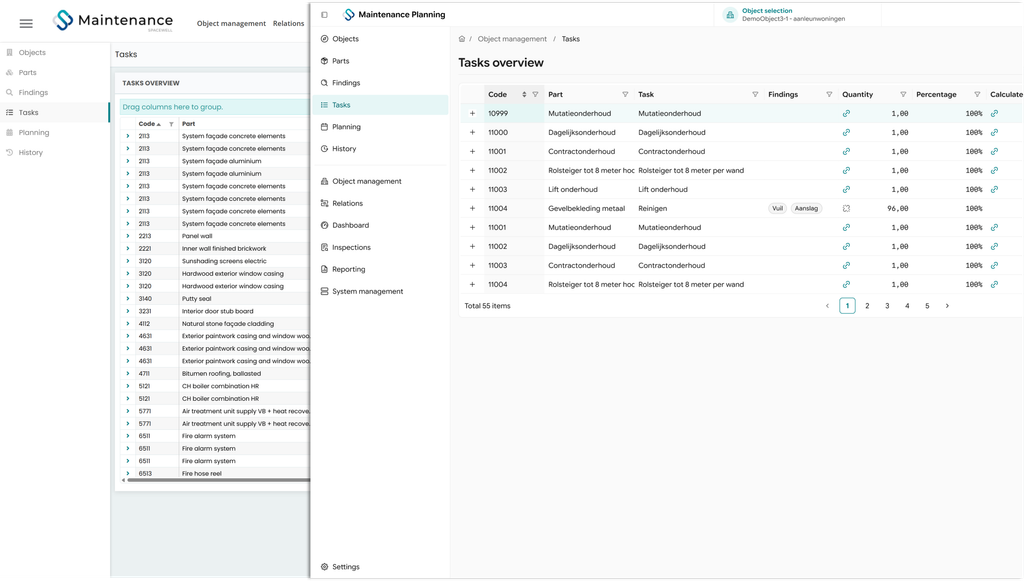
OneUI doesn’t land the same way in every product. Each one adopts it on its own schedule and in a way that fits how that product is built, so you’ll notice it first in some places and a little later in others.
Built for how your teams actually work
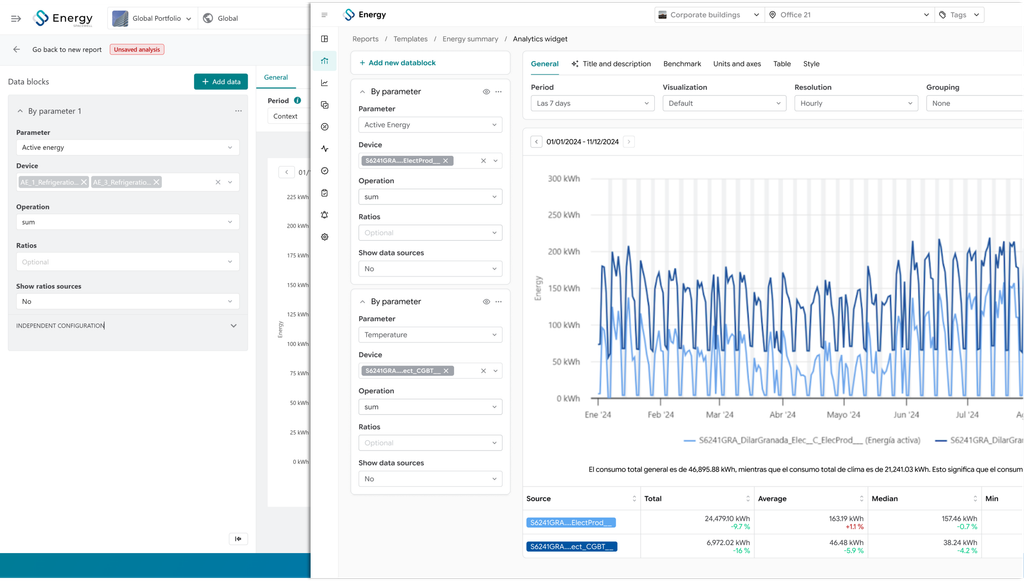
Spacewell OneUI is the result of a long process of understanding what facility managers, workplace teams, technicians, and energy analysts actually need from the screens they use every day. It’s not a cosmetic refresh. It’s the visual foundation for where the whole product portfolio is headed: one platform, one experience, built on everything you’ve told us. And as with most good design decisions, it’s rarely about adding more. It’s about removing what gets in the way.