Maintenance Planning Software (formerly O-Prognose)
Quickly and easily create a multi-year maintenance plan (MJOP) for your real estate with the new version of O-Prognose: Maintenance Planning.
Maintenance Planning is the new web version of O-Prognose – the most widely used application for creating MJOPs. The application is used by over 1,400 organizations in the Netherlands and Belgium. These include banks, insurance companies, municipalities, housing associations, homeowners’ associations (VvEs) and property managers, construction and maintenance companies, school boards, healthcare institutions, hospitals, installation companies, and inspection and consultancy firms.
With Maintenance Planning, you can create a multi-year maintenance plan (MJOP) and budget for the upkeep of your buildings. Maintenance Planning records the structural and installation components for each building. For each component, Maintenance Planning adds the most common maintenance activities from a library, including the maintenance cycle and standard amounts.
Key Benefits
Easily and intuitively create a multi-year plan using a building component library with standard amounts and maintenance cycles.
NEN 2767 Integration
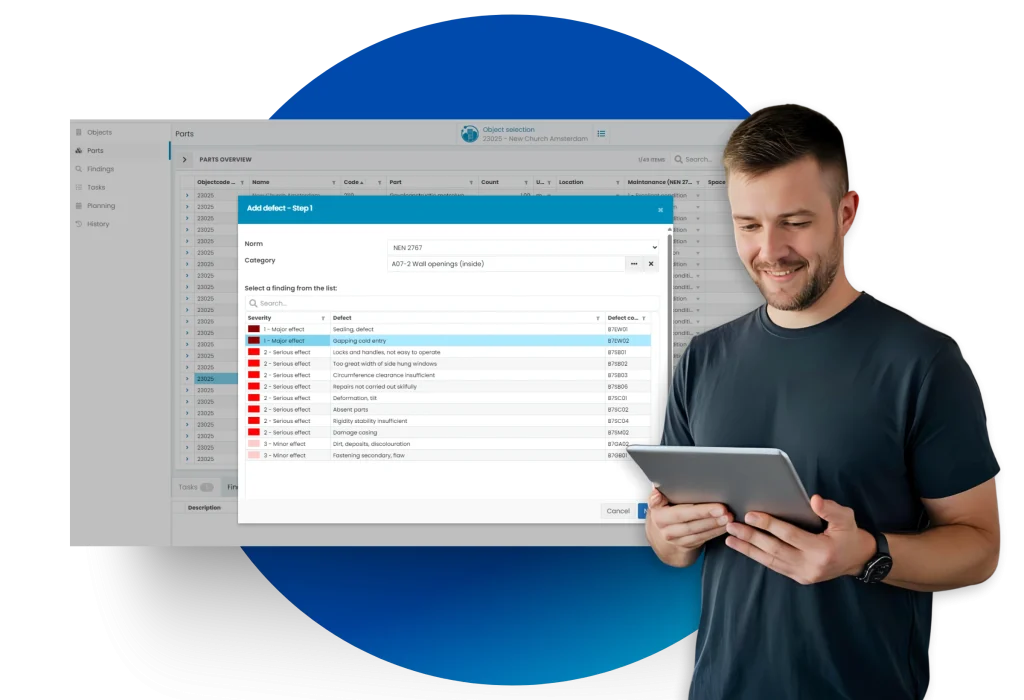
The NEN 2767 integration ensures automatic NEN condition score calculation after identifying building component defects. Priorities and risks for building components and their associated maintenance are also processed immediately.
Inspection App
Maintenance Planning features a convenient inspection tool that allows for quick and efficient digital on-site inspections; photos are directly linked to a building component, along with the correct quantities and other building component characteristics.
Ultimate Scalability
Maintenance Planning provides the ability to create, observe, and analyze comprehensive documentation for both a single building and an entire portfolio.
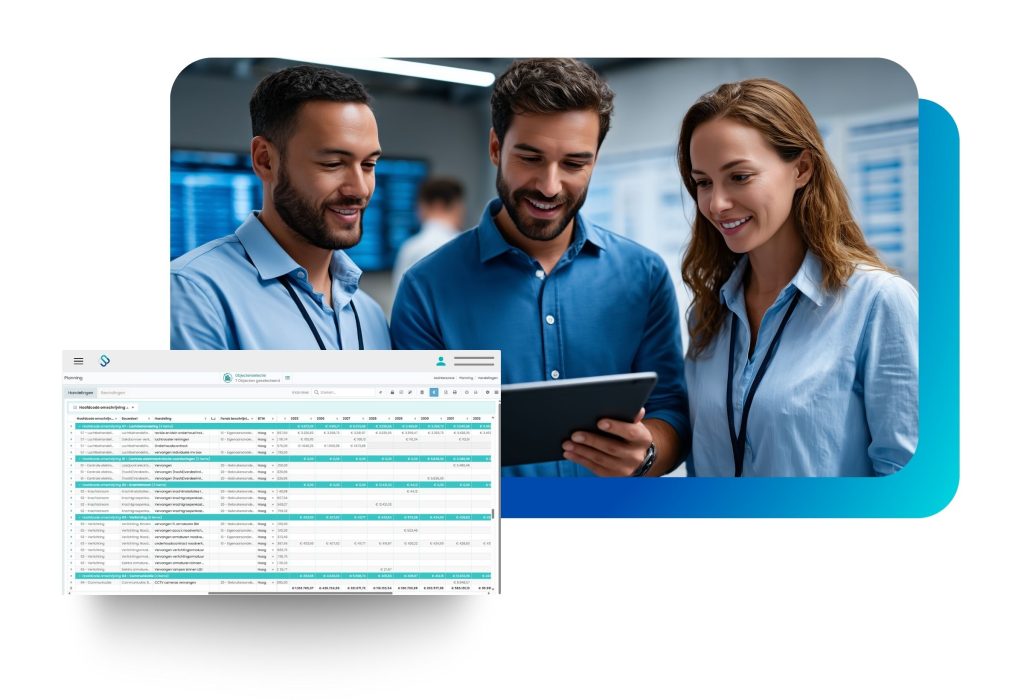
Visual Planning
After inventorying the building or portfolio, a visual planning is displayed. By filtering this planning by budget codes, disciplines, specific building components, fund codes, or cost categories, the specifically requested insight is displayed.
Clear dashboards and standard reports
Results of the multi-year plan can be quickly visualized with dashboards and various reports. This way, results are presented clearly and concisely to clients or managers.
How It Works
Perform a condition assessment
Use the inspection options to assess building components, identify defects, and identify risks and priorities.
Visualize the schedule
Use various reports to provide insight over 10, 20, or even 50+ years. Develop scenarios and apply the right strategy.
Update & Adjust Anytime
Easily update schedules based on current data, changing needs, or adjusted budgets.


countries with Spacewell presence
customers worldwide
buildings managed
Why Choose Spacewell Maintenance Planning?

Asset Plans
Choose the plan that suits your business needs.
Entry
Plan your maintenance and create a visual multi-year maintenance plan for a single building.
Key features
- Maintenance Plan Visualization: Visualize multi-year maintenance plans and budgets.
- Condition Methodology: Assess the condition of assets.
- Limited Asset Library: Access a basic asset library with maintenance activities.
- Multi-Factor Authentication: Use two-factor authentication for enhanced security.
Advanced
Plan your maintenance and perform inspections in accordance with NEN 2767 for all your buildings.
Everything in Entry, plus
- Full Asset Library: Access a comprehensive asset library with maintenance activities.
- Standard Reports: Generate standard reports and use a report generator.
- Basic User Management: Manage user accounts.
- Dashboard: Monitor asset performance and maintenance tasks.
- External User Access: Allow external MP users with licenses.
Ultimate
Plan your maintenance for all your buildings in a single overview and optimize it with additional features.
Everything in Advanced, plus
- Single Sign-On: Use a single login for multiple applications.
- Multilingual Support: Supports multiple languages.
- Custom Fields: Create custom fields for specific data.
- Multiple Object Selection: Select multiple objects for actions.

Heylen Warehouses chooses the flexible workflows of Spacewell

Care institution SVRZ: a progressive approach to building maintenance, sustainability, and energy transition

Mercedes-Benz Dealer Bedrijven becomes first Spacewell Ambassador
What Our Customers Say

“Thanks to O-Prognose, our basic information is recorded in a structured way and can easily be used for subsequent work. Our collaboration with Spacewell (formerly Plandatis) goes even further. We have shared our experience with them regarding inspections according to the RGD BOEI methodology. They then used this as input for the development of their new software release.”
Henry Heida
Project Manager, Sweco


Frequently Asked Questions
Yes, it’s used by real estate managers, housing corporations, and public institutions across multiple sectors.
Condition scores are based on a 1-6 scale, determined by inspections that rate defects by severity and extent.
Absolutely. Use our inspection app in the field to capture data directly and update your maintenance plan in real time.
Yes, our scenario analysis lets you visualize and compare multiple strategies for long-term planning.
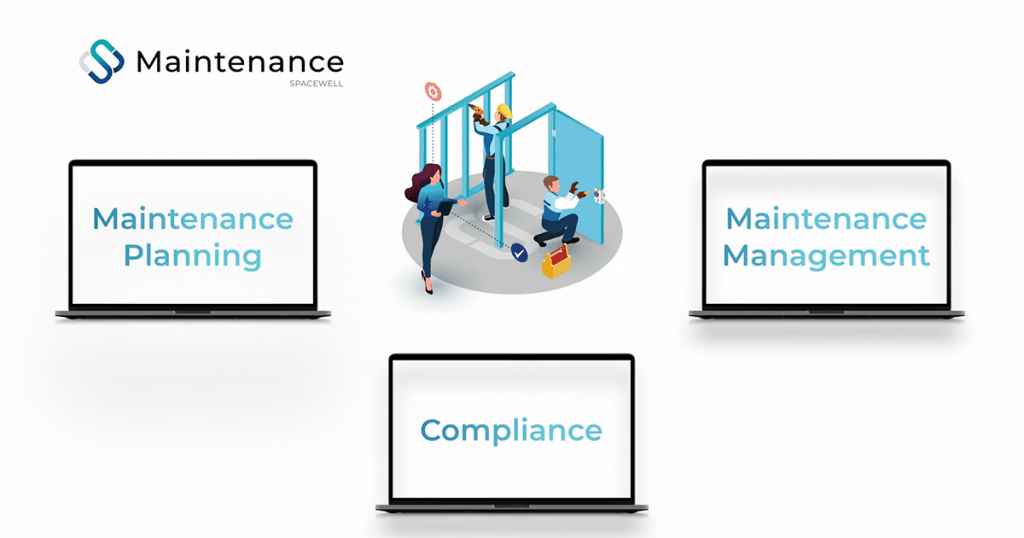
Introducing Spacewell Maintenance

How to choose the right CMMS software?

Curious about the possibilities of Maintenance Planning?
Create a well-founded overview of your planned maintenance budget with Maintenance Planning. Want to put this into practice?